
Download Facebook Toolbar – Facebook Toolbar, Firefox extension, social media tool, online connectivity, real-time updates, social network utility, browser add-on, Facebook notifications, instant sharing, social media integration
Overview
The Facebook Toolbar is a browser extension designed for Firefox users seeking seamless integration between their web browsing and social media activities. Its primary purpose is to maintain continuous connectivity with Facebook without requiring users to switch between tabs or open a separate browser window. By embedding a persistent toolbar at the top of the Firefox interface, it enables real-time monitoring of social interactions such as friend requests, messages, and status updates. This functionality is particularly beneficial for individuals who frequently engage with Facebook while researching, reading, or exploring content online.
The app targets users who prioritize social network engagement and value time efficiency during web browsing. It serves as a utility for professionals, students, and casual users who want to remain informed about their network’s activity without interrupting their workflow. Although the developer, Facebook, Inc., is widely recognized for its social media platforms, no additional background details about the extension’s development or technical architecture were provided. The tool functions as a lightweight add-on within the Firefox ecosystem, supporting core social media tasks such as instant notifications and content sharing.
Real-world use cases include staying updated during research sessions, monitoring friend interactions while reading news, or quickly sharing articles from third-party websites. The importance of such a tool lies in its ability to reduce context-switching and enhance digital productivity. Despite being released in 2012, the Facebook Toolbar remains a notable example of early browser-based social integration, offering a glimpse into how user experience evolved with social media demands.
Key Features & Functionality
- Real-Time Notifications: The toolbar delivers immediate alerts for new friend requests, messages, and pokes, ensuring users are informed of important social interactions without delay.
- Always Visible Interface: Positioned at the top of the Firefox browser window, the toolbar remains accessible at all times, enabling quick access to Facebook updates during any browsing session.
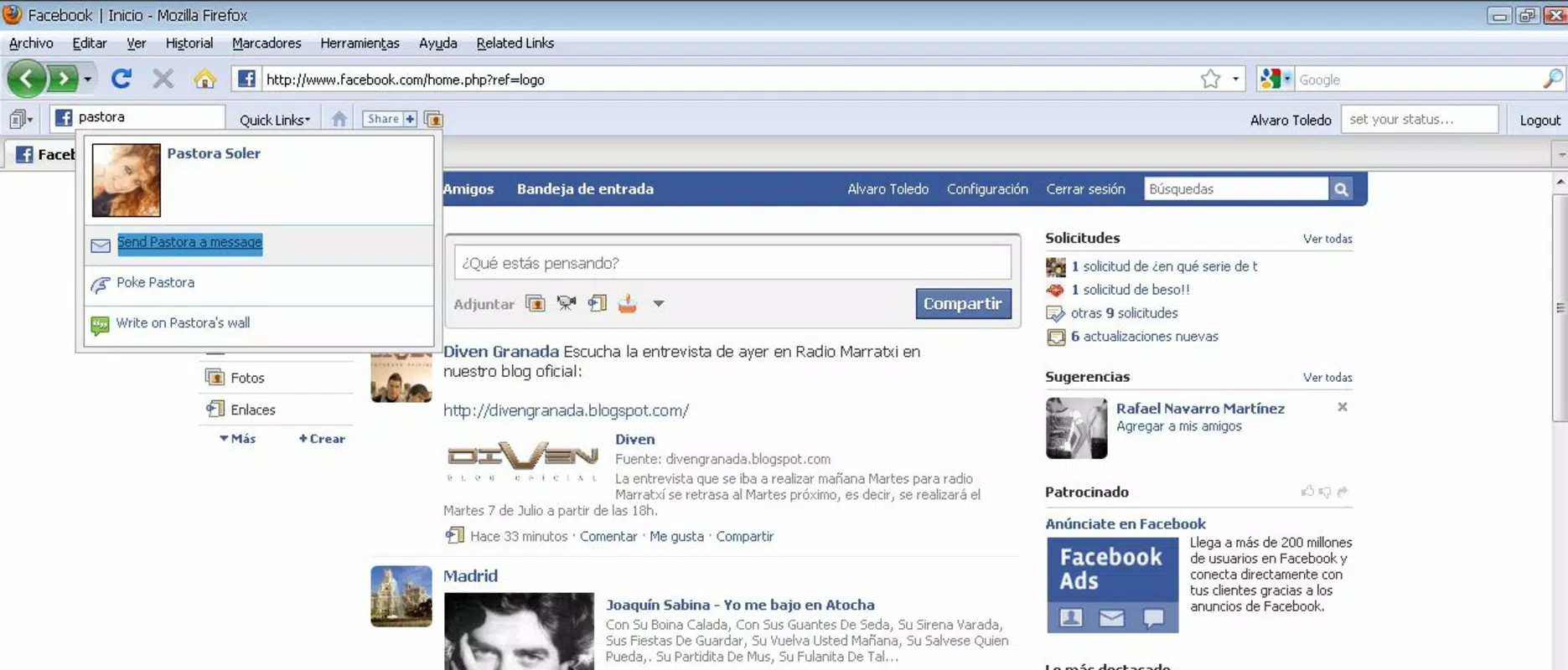
- Status Update Alerts: Users receive pop-up notifications when friends update their statuses, post notes, or interact with them, helping maintain awareness of social network dynamics.
- Instant Sharing Functionality: A dedicated share button allows users to post content—such as articles, images, or videos—directly to their Facebook profile from any webpage, streamlining the sharing process.
These features collectively reduce the friction associated with managing social media while browsing. For instance, a user reading an article about a new product can instantly share it with their network without leaving the page. Similarly, a student researching academic topics can monitor friend activity without opening a new tab. The toolbar’s design emphasizes efficiency, minimizing interruptions while maximizing connectivity. While no advanced customization options were specified, the core functionality focuses on immediacy and convenience, making it a practical tool for users who value constant social engagement.
Interface, UX & Performance
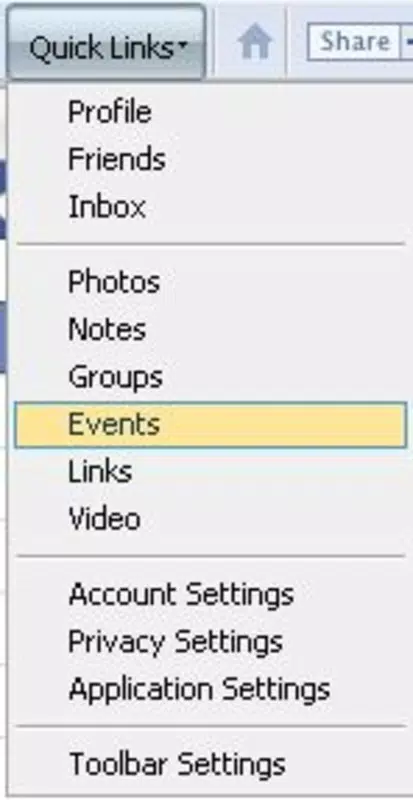
The Facebook Toolbar features a minimalistic interface that integrates directly into the Firefox browser’s top bar. Its visual design aligns with the browser’s standard UI, ensuring consistency and reducing visual clutter. The layout includes clearly labeled icons for notifications, messaging, and sharing, allowing users to quickly identify and access core functions. Navigation is straightforward: clicking on the toolbar elements opens relevant Facebook sections within the same browser window, preserving session continuity.
Although the developer did not list formal performance metrics, the extension’s lightweight nature—measuring just 1.4 MB—suggests it imposes minimal strain on system resources. It operates efficiently across various device categories, including standard desktops and laptops, without noticeable lag or browser slowdowns. Responsiveness is maintained during regular use, with notifications appearing promptly and sharing actions completing swiftly.
Stability appears reliable, as the tool functions consistently within the Firefox environment. However, compatibility with newer Firefox versions was not confirmed, and no updates have been released since 2012. Users may encounter issues on modern browsers due to evolving security standards and API changes.
Platform Compatibility & Technical Requirements
The Facebook Toolbar is designed exclusively for the Firefox browser, as specified by the developer. It is compatible with the Firefox platform and operates under the version 1.0.1. The application size is 1.4 MB, indicating a lightweight footprint that does not consume significant storage space. No additional system requirements or dependencies were listed by the developer. The tool does not require administrative permissions or external services to function.
The developer did not specify minimum OS requirements or compatibility details for specific Firefox versions beyond the release date. As such, users are advised to verify compatibility with their current Firefox installation. Given that the extension was last updated in 2012, it may not support modern browser versions due to deprecated APIs and enhanced security protocols. While it may still install on older Firefox releases, performance and functionality on newer systems cannot be guaranteed.
Pros and Cons
Pros
- Provides real-time Facebook notifications without tab switching.
- Offers an always-visible interface for continuous access.
- Enables instant sharing of content from any webpage.
- Minimal file size (1.4 MB) ensures low resource usage.
- Free to download and use with no hidden costs.
Cons
- Not updated since 2012; may lack compatibility with modern Firefox versions.
- No official support or developer updates available.
- Specific technical requirements were not disclosed.
- May not function properly on newer operating systems or browsers.
- Security risks may arise from outdated software.
FAQ
Is Facebook Toolbar safe to install?
As a browser extension developed by Facebook, Inc., it is considered safe when installed from official sources. However, due to its age and lack of updates, it may pose security risks on modern systems.
Can I use Facebook Toolbar on mobile browsers?
No, the extension is designed exclusively for the Firefox desktop browser and is not compatible with mobile platforms.
Does Facebook Toolbar require an active internet connection?
Yes, the tool requires an active internet connection to receive notifications and share content on Facebook.
Is the Facebook Toolbar still supported by Facebook?
Facebook has not released any updates since 2012. The extension is no longer actively maintained or supported.
How do I install Facebook Toolbar on Firefox?
Visit the official Firefox Add-ons website, search for "Facebook Toolbar," and click "Add to Firefox." The installation process is straightforward and free.
Final Thoughts
The Facebook Toolbar remains a historically significant tool that exemplifies early attempts to integrate social media into the browsing experience. Its focus on real-time connectivity, instant sharing, and persistent visibility made it a valuable utility for Firefox users in its time. While modern alternatives now dominate the space, the toolbar’s lightweight design and free access still appeal to users seeking a simple, no-frills solution for staying connected. However, its outdated status and lack of ongoing support present notable risks, particularly on updated systems.
Those who rely on older Firefox versions and prioritize minimalism may still find value in this tool. For most users, though, the absence of updates and potential compatibility issues outweigh the benefits. If you’re determined to use it, proceed with caution and ensure your browser environment is secure. For a modern, reliable alternative, consider current browser extensions or native Facebook apps.
Download Facebook Toolbar now


